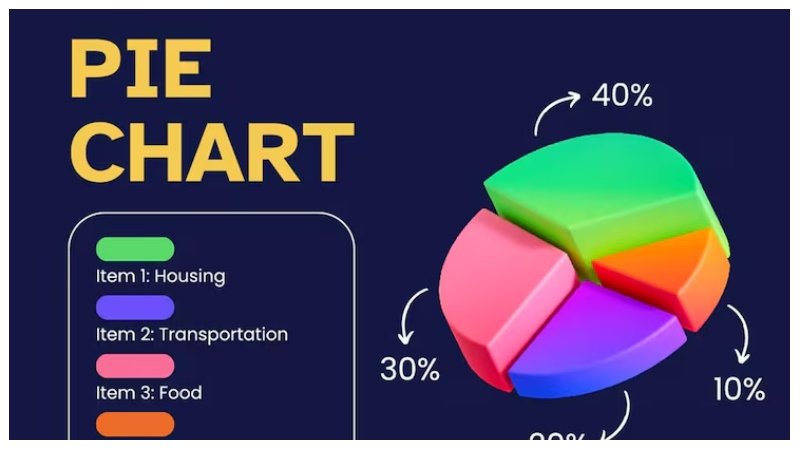
Every team wants to improve performance, reduce waste, and make better decisions. However, identifying where problems exist can be challenging when large amounts of data are spread across reports, spreadsheets, and meetings. A pie chart offers a simple way to visualize information and quickly understand how different factors contribute to overall performance.
When teams create a pie chart, they can see which activities consume the most time, where defects occur most frequently, or which bottlenecks have the greatest impact. This visual approach supports data-driven decision-making and helps teams focus their improvement efforts where they can achieve the biggest results. For organizations focused on continuous improvement, process optimization, and operational excellence, pie charts remain one of the most effective analytical tools available.
What Is a Pie Chart and Why Is It Useful for Process Improvement?
A pie chart is a circular chart divided into slices. Each slice represents a category and shows its proportion of the whole. The larger the slice, the greater its contribution to the total.
For process improvement teams, pie charts transform raw data into visual insights. Instead of reviewing rows of numbers, stakeholders can immediately identify dominant issues and trends.
Definition: Process Improvement
Process improvement is the practice of analyzing workflows and making changes that increase efficiency, quality, productivity, or customer satisfaction.
Teams often use process improvement methodologies such as:
- Lean
- Six Sigma
- Kaizen
- Continuous Improvement (CI)
- Total Quality Management (TQM)
A pie chart complements these methodologies by helping teams prioritize opportunities based on measurable data.
Key Takeaway: A pie chart helps teams quickly visualize which issues, activities, or inefficiencies contribute most to overall performance challenges.
Why Visual Data Matters in Continuous Improvement
Humans process visual information much faster than text or spreadsheets. According to research from the Massachusetts Institute of Technology (MIT), the brain can process visual information in as little as 13 milliseconds.
When teams rely only on reports and numerical tables, important patterns can remain hidden. Visual tools help stakeholders:
- Spot trends faster
- Identify major problem areas
- Improve communication between departments
- Support collaborative decision-making
- Gain stakeholder buy-in for improvement initiatives
For example, a customer support team may discover that 55% of customer complaints relate to response delays, while only 15% involve product issues. A pie chart makes this imbalance immediately obvious.
Organizations that emphasize performance management often combine visual reporting with structured improvement practices to drive sustainable results.
Key Takeaway: Visualizing process data enables faster understanding, better collaboration, and more effective improvement planning.
How Teams Can Create a Pie Chart for Process Improvement
Creating a pie chart is straightforward, but the quality of insights depends on the quality of the data collected.
Step 1: Define the Process Being Evaluated
Start by identifying the specific process you want to improve.
Examples include:
- Customer service workflows
- Manufacturing operations
- Employee onboarding
- Sales pipelines
- Project management processes
- Quality assurance procedures
Avoid analyzing too many processes at once. A focused approach produces clearer results.
Step 2: Identify Relevant Categories
Next, determine the categories you want to measure.
Examples include:
Manufacturing
- Equipment downtime
- Material shortages
- Quality defects
- Setup delays
Customer Service
- Response delays
- Escalations
- Technical issues
- Billing inquiries
Project Management
- Resource constraints
- Scope changes
- Communication issues
- Approval delays
The categories should be mutually exclusive and collectively represent the entire process.
Step 3: Collect Accurate Data
Gather data from reliable sources such as:
- Process logs
- ERP systems
- CRM platforms
- Quality reports
- Employee surveys
- Customer feedback records
Accurate data ensures meaningful analysis.
For guidance on business performance measurement, readers can explore resources from the U.S. National Institute of Standards and Technology (NIST).
Step 4: Calculate Percentages
Determine how much each category contributes to the total.
Example:
| Cause of Delay | Occurrences |
| Approval Delays | 45 |
| Resource Issues | 25 |
| Communication Gaps | 20 |
| Scope Changes | 10 |
Total occurrences = 100
Percentages:
- Approval Delays = 45%
- Resource Issues = 25%
- Communication Gaps = 20%
- Scope Changes = 10%
These percentages become the slices of the pie chart.
Step 5: Create a Pie Chart
Teams can create a pie chart using tools such as:
- Microsoft Excel
- Google Sheets
- Power BI
- Tableau
- Looker Studio
The chart should:
- Use clear labels
- Display percentages
- Include a descriptive title
- Limit categories when possible
- Use contrasting colors
Step 6: Analyze the Results
Review the largest segments first.
Ask questions such as:
- Which category contributes most to inefficiency?
- What root causes drive this issue?
- Which improvements could have the greatest impact?
- Are there quick wins available?
This step converts visualization into action.
Key Takeaway: To create meaningful insights, teams should define a process, collect quality data, calculate percentages, build a clear chart, and analyze the largest contributors first.
Using Pie Charts to Identify Improvement Opportunities
A pie chart becomes most valuable when teams use it to prioritize improvements.
Consider a manufacturing example:
| Defect Type | Percentage |
| Assembly Errors | 50% |
| Material Defects | 25% |
| Packaging Issues | 15% |
| Labeling Errors | 10% |
Without visualization, stakeholders might assume all issues deserve equal attention.
After creating the chart, it becomes clear that assembly errors account for half of all defects. Improving assembly procedures may deliver greater benefits than addressing smaller categories first.
This aligns with the Pareto Principle, often called the 80/20 rule, which suggests that a small number of causes often create most problems.
The American Society for Quality (ASQ) provides additional information on quality improvement methodologies
By focusing resources where they generate the highest return, teams improve efficiency and maximize impact.
Key Takeaway: Pie charts help teams identify the most significant contributors to process inefficiencies so improvement efforts can be prioritized effectively.
Common Mistakes Teams Should Avoid
While pie charts are useful, several mistakes can reduce their effectiveness.
Including Too Many Categories
A pie chart with ten or more slices becomes difficult to interpret.
Instead:
- Combine smaller categories
- Focus on major contributors
- Use alternative charts when necessary
Using Poor Data
Inaccurate data leads to incorrect conclusions.
Always validate:
- Data sources
- Collection methods
- Reporting periods
Ignoring Root Cause Analysis
A pie chart shows what is happening but not why.
Teams should follow up with:
- Root cause analysis
- Fishbone diagrams
- Process mapping
- Five Whys analysis
Treating the Chart as a One-Time Exercise
Continuous improvement requires ongoing measurement.
Teams should update charts regularly to:
- Track progress
- Measure improvement outcomes
- Identify emerging issues
Organizations interested in broader business effectiveness may benefit from related performance and productivity resources available across prosuccessguide.com.
Key Takeaway: Effective pie charts depend on quality data, manageable categories, root cause analysis, and continuous monitoring.
Best Practices When Teams Create a Pie Chart
To maximize value, teams should follow several proven practices.
Keep the Objective Clear
Define a specific improvement goal before collecting data.
Examples:
- Reduce customer complaints
- Improve delivery speed
- Lower defect rates
- Increase productivity
Focus on Actionable Metrics
Measure factors that can actually be influenced.
For example:
Good:
- Processing delays
- Defect causes
- Support ticket categories
Less useful:
- Metrics with no practical improvement pathway
Involve Cross-Functional Stakeholders
Different departments often see different parts of a process.
Involving multiple stakeholders improves:
- Data quality
- Buy-in
- Solution development
Review Results Regularly
Improvement is not a one-time project.
Schedule recurring reviews:
- Weekly
- Monthly
- Quarterly
This helps teams monitor progress and adjust priorities as needed.
Key Takeaway: Clear objectives, actionable metrics, stakeholder involvement, and regular reviews make pie charts more effective for continuous improvement efforts.
How Pie Charts Support Better Decision-Making
Strong organizations rely on evidence rather than assumptions. Pie charts help leaders:
- Communicate findings clearly
- Align teams around priorities
- Allocate resources effectively
- Monitor operational performance
- Support continuous improvement initiatives
Because pie charts are easy to understand, they also improve communication with executives, managers, and frontline employees.
A visual representation often creates faster agreement than lengthy reports filled with numerical data.
When teams consistently use visual analytics alongside structured process improvement methods, they build a stronger culture of accountability and performance.
Key Takeaway: Pie charts transform data into actionable insights that support better communication, smarter resource allocation, and stronger operational decisions.
Frequently Asked Questions
How does a pie chart help identify process improvement opportunities?
A pie chart shows the relative contribution of different issues or activities, helping teams quickly identify the largest sources of inefficiency or waste.
Summary: Pie charts reveal which problems have the greatest impact and deserve priority attention.
What data should teams use when creating a pie chart?
Teams should use reliable operational data such as defect reports, customer complaints, workflow delays, service tickets, or production metrics.
Summary: Accurate operational data produces more meaningful process improvement insights.
Can a pie chart replace root cause analysis?
No. A pie chart highlights where problems exist, but teams must perform root cause analysis to understand why those problems occur.
Summary: Pie charts identify problem areas, while root cause analysis identifies underlying causes.
What tools can teams use to create a pie chart?
Common tools include Microsoft Excel, Google Sheets, Power BI, Tableau, and Looker Studio.
Summary: Most modern reporting and spreadsheet tools can generate effective pie charts.
How often should teams update process improvement pie charts?
The frequency depends on the process, but monthly or quarterly updates are common for tracking progress and identifying new trends.
Summary: Regular updates ensure teams monitor improvement efforts and respond to changing conditions.
Conclusion
Teams that create a pie chart gain a simple yet powerful way to identify process improvement opportunities. By transforming data into an easy-to-understand visual format, pie charts help organizations uncover inefficiencies, prioritize improvement initiatives, and support evidence-based decision-making. Whether analyzing customer complaints, workflow delays, quality defects, or resource constraints, pie charts provide clarity that drives meaningful action. Combined with continuous improvement practices and regular performance reviews, they become an essential tool for building more efficient, productive, and successful organizations. Click here for more information.
Final Summary: Teams can create a pie chart to visualize process data, identify the biggest sources of inefficiency, prioritize improvement efforts, and make more informed operational decisions.